Foundational Anatomical Terminology:
Page 4 of 11
Anatomical planes on the 3D panel
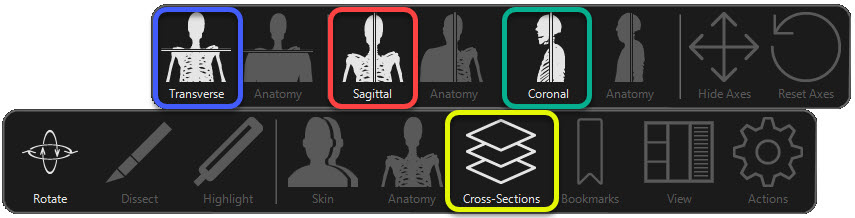
Notice that when viewing the anatomical planes on the 3D panel, the planes are displayed in different colors:
- The transverse plane is: Blue
- The sagittal plane is: Red
- The coronal plane is: Green
Why use these views?
- To isolate an area of the body for orientation purposes.
- To view the relationship of an organ to the rest of the body, especially from a CT perspective.
- To view the body from a superficial palpatation approach by viewing surface anatomy in relation to internal anatomy.
Try it: Add a plane to the 3D Panel:
- Tap on the Reset button (or tap here) to reset the 3D and Cross-Sections views.
- On the control bar, tap on the Cross-Sections tool. Then tap on the plane that you wish to add:
- Transverse
- Sagittal
- Coronal